
No Instagram Login
You never type an Instagram password into PVStory, so your account is never attached to a view.

Save a public photo or video story as a file
An Instagram story downloader saves the current public story as a file you can keep after the 24-hour tray clears. Paste a public username. PVStory (pvstory.me) does not log you into Instagram and does not invent a file if the provider has nothing public to return.
Public profiles only. No Instagram login. Type a public username (for example natgeo) or paste a story link.
Pick the PVStory tool that matches what you want to open: a live story, a story file, a feed video, a Reel, or a highlight.
 Instagram Story Viewer→Watch public stories without logging in to Instagram
 Instagram Story Downloader→Save a public photo or video story as a file
 Instagram Video Downloader→Download a public feed video as an MP4
 Instagram Reels Downloader→Save a public Reel as a vertical MP4
 Instagram Highlights Viewer→Open the highlights pinned on a public profile
 Instagram Guides→Plain answers about stories, Reels, and privacy
Viewing a public Instagram story with PVStory is quick and simple. Paste a username or link and get the public result in seconds. No login, no app, no invented results.
You never type an Instagram password into PVStory, so your account is never attached to a view.

Files come back in the rendition Instagram serves. PVStory does not re-compress them.

The same form works on iPhone, Android, tablets, and desktop browsers. Nothing to install.

Private accounts and Close Friends stories stay closed. PVStory only reads what is already public.

Everything runs in your browser. No extension, no download manager, no sign-up.

Copy a username or link, paste it into the box, and press the button. That is the whole process.
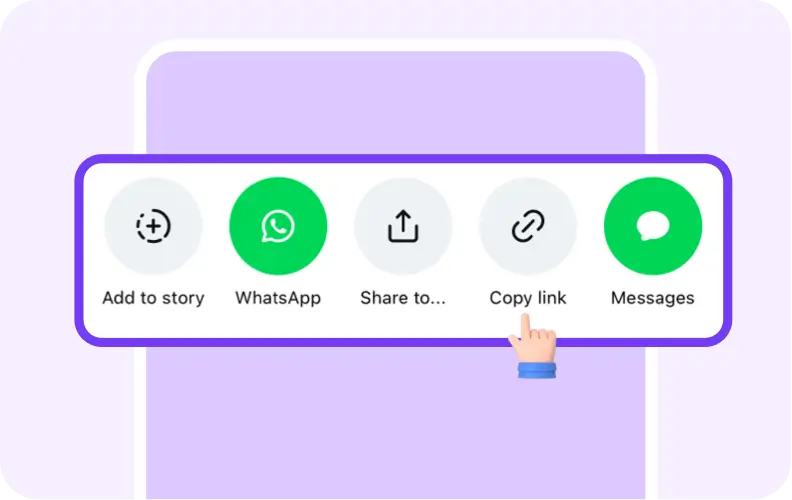
Paste the public username or a link that already includes /stories/ and the handle. Check the spelling, including periods.
The downloader can only save a frame that is still in the public tray or a public highlight you open on purpose. A private story produces no file.
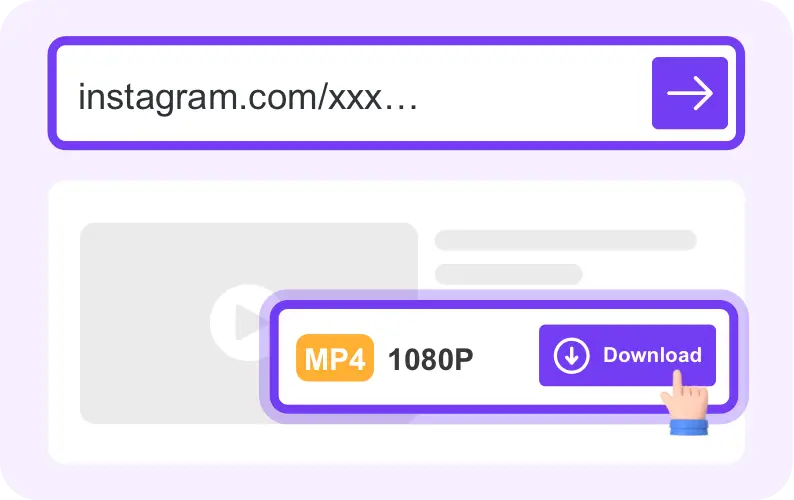
When the provider returns a photo or video, use the browser download. The file is a copy from that moment, not a live link back to Instagram.
Open instagram.com and find the public profile, story, Reel, or post you want.
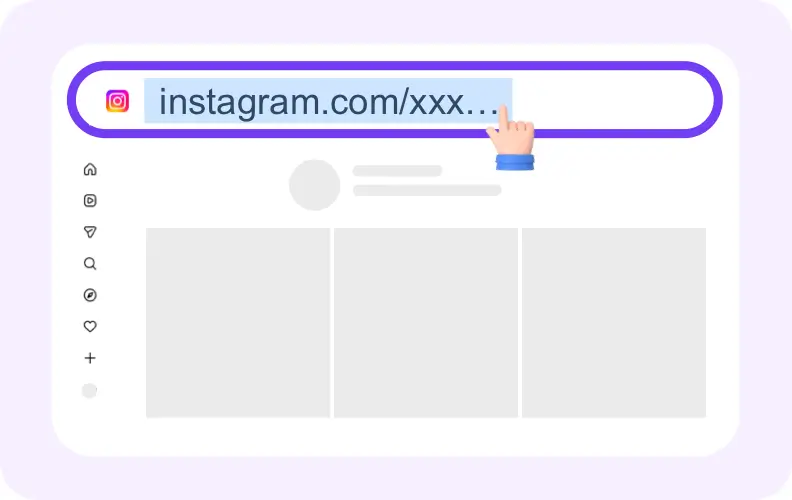
Copy the link from the browser address bar at the top of the page.
Paste it into PVStory and press the button. Watch the result or save the file.
With PVStory you can open almost every kind of public Instagram media: live stories, story files, feed videos, Reels, and highlights. Everything stays public-only.
Keep a public story after the 24 hours run out. Paste the username or the story link and save the photo or video file the provider returns. Licensed music may not travel with the file.

Watch the current public story tray of any public account without an Instagram session. Type a username or paste a profile link, and the stories that are still live open right in your browser. No viewers-list entry, no app.
Save a public feed video as an MP4 to watch later, even offline. Paste the post link, check that the account is public, and download the file in the rendition Instagram serves.

Download a public Reel as a vertical MP4. Paste the Reel link and save the file to your phone or computer. Copyright stays with the creator, so keep it for personal reference.

Read the highlights a public account pinned under its bio, long after the original story left the tray. Open a highlight, watch the frames, or save one as a file.
A story downloader takes a public story and writes it to a file, usually a JPEG or PNG for a still frame and an MP4 for a video. The point is timing. The ring on the profile is temporary. If you need the frame tomorrow, the live tray is the wrong place to leave it. Highlights are the owner’s way of keeping a story public. A download is your own copy, and it does not publish anything back to Instagram.
PVStory’s downloader sits next to the anonymous story viewer. Watching is enough when you only need to see the frame. Downloading is the right step when you are saving your own public story, keeping a source you are allowed to archive, or grabbing a still before it expires. The anonymous viewing guide covers the viewers-list side of the same action.
A story can be a single photo, a video of up to a few seconds, or a set of frames the owner posted in a row. Text, polls, location tags, and link stickers are drawn on top of that media. A file save usually keeps the picture or video. Interactive stickers do not remain tappable. A poll in the file will not record your vote, and a link sticker will not open.
Mention stickers and hashtags may be baked into the image if the owner placed them in the design, or they may be separate data the provider does not flatten into the picture. Do not assume the saved JPEG contains every tag you saw in the app. If the wording matters, read it while the story is still live.
Stories with a music sticker are the downloads people argue about. The song is licensed to play inside Instagram. When the video file is saved outside the app, that license often does not come with it, so the file is silent or keeps only what the microphone recorded. PVStory does not strip a protection wrapper off a song, and it does not supply a replacement track. If you need the song, the honest options are to remember the title while it is on screen or to use music you have rights to when you edit.
Original audio is different. If the owner spoke, played an instrument in the room, or recorded street noise, that sound is part of the video they uploaded. A normal MP4 can include it. There is no switch that forces licensed music back into a file that left the app. The longer explanation is in download Instagram stories with music.
On iPhone, Safari or Chrome places the file in Downloads. From the Files app you can share it to Photos if it is a video or image you are allowed to keep. iOS sometimes opens a video in a player instead of saving it. Use the share sheet and choose Save to Files if the first tap only previews it.
On Android, the notification shade or the browser’s download list holds the MP4 or image. Moving it into Google Photos is optional and depends on the phone. A download does not post the story to your own account.
On a PC or Mac, the file lands in the browser’s download folder. Rename it while you still remember the account and the date, because the provider’s filename is often a random id. That small habit matters more than any “HD” badge. The picture is only as large as the source Instagram stored for the story, which is sized for a phone screen, not for a billboard.
A screen recording grabs the whole display: the story, the progress bars, the reply box, and any notification that arrives mid-take. It also re-compresses a picture that was already compressed. A direct file skips the interface and keeps the source frame. Use a recording only when a file is refused and you are saving something you have the right to record for private notes.
Quality labels on random downloader sites are mostly advertising. Instagram does not hand a third-party site a secret cinema master of a story. “HD” here means the ordinary story rendition, not a 4K original that never existed.
Download a story you posted, a story you were given permission to keep, or a public frame you are studying privately. Reposting it to another account, selling it, or feeding it into an ad is a separate act, and the copyright belongs to the creator. PVStory is not a licensing desk.
An empty result is a result. The story may have expired, the account may be private, the highlight may have been deleted, or the provider may be offline. The form says which of those it knows. It does not substitute a different account’s media. If you are looking for last month’s frame, check whether the owner moved it to highlights, then use the highlights viewer. There is no public recycle bin.
| Story type | Typical file | Sound |
|---|---|---|
| Photo | JPEG or PNG | None |
| Video with camera audio | MP4 | Camera audio, when it was uploaded |
| Video with a licensed song | MP4 | Often silent |
| Highlight frame | Same as the original story | Same limits |
| Private or Close Friends | No file | No file |
Yes. You paste a public username or story link. You do not sign in to Instagram on this site.
Often no. Licensed music used as a sticker usually does not travel with the saved MP4. Camera audio is more likely to remain.
Only if it is still public, which usually means the owner added it to highlights. A story that simply expired is not available here.
No. Private stories are not public files. The downloader does not accept a password or a follower login.
Photos come back as images. Videos come back as MP4 when the provider has a video rendition. Stickers that were interactive in the app are not interactive in the file.
It is the story rendition Instagram stored for playback on a phone. That is sharp on a phone screen and soft if you scale it up for a poster.
A download through PVStory is not an Instagram login, so it is not a viewers-list event under your username. Do not republish the file as if anonymity covered copyright.
Write to the address on the DMCA and disclaimer page. Include the URL and the username. PVStory is not affiliated with Instagram or Meta.
